01 · Online ordering
Take orders under your own brand
Run an ordering page on your own domain. Guests browse the menu, build a cart, and send the order to you — see the features page.
- Ordering page on your brand and domain
- Mobile and desktop experience
- Menu, category, and product management
- Options and extras
- Campaigns and discounts
- Delivery and pickup
- Order and payment management
- Order status tracking
- Admin panel and sales reports
Included
Online ordering, admin panel, menu and campaigns, delivery / pickup, order management, mobile page, and support.
POS, marketplace, payments, franchise, and custom integrations are quoted separately.

Guest → Menu → Cart → Order · Panel → Ops → Reports
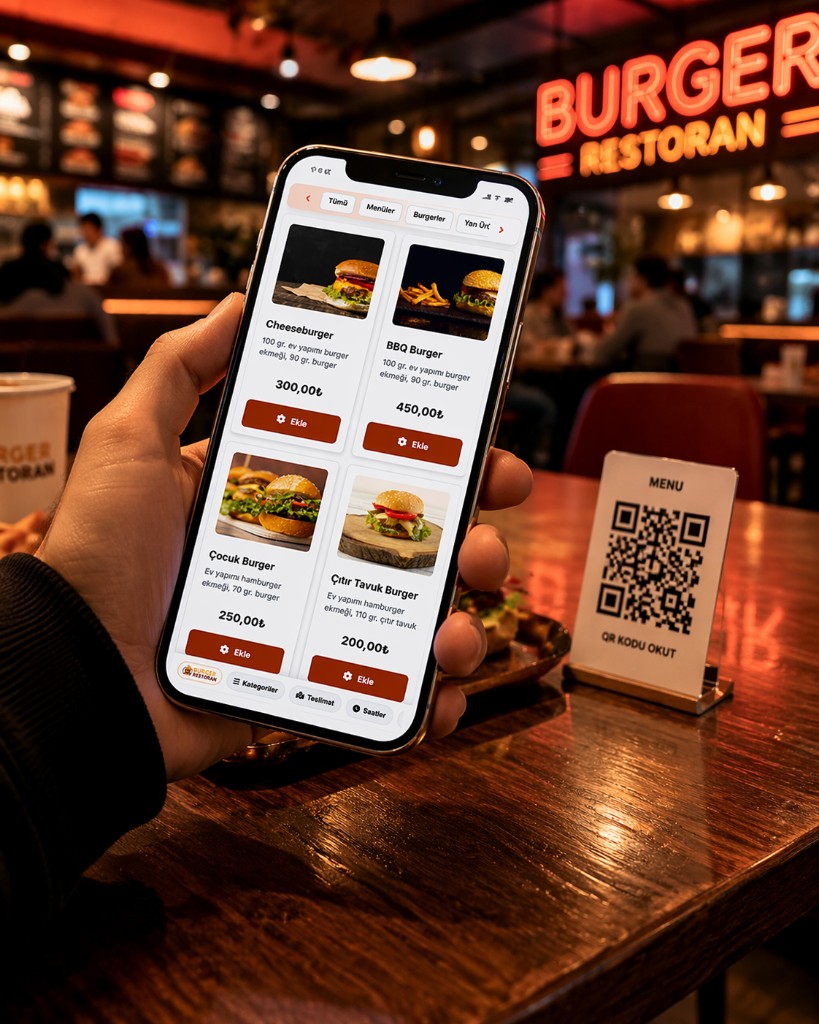
02 · QR Menu
Create your QR menu for free
Guests scan a QR code to open the menu; you update it from the panel. See QR menu software.
- Digital QR menu
- Category and product management
- Descriptions and prices
- Mobile-friendly menu
- Access via QR
- Live menu updates
QR Menu is view-only. Ordering and online payment use QR Order & Pay.
03 · QR Order & Pay
Scan, order, pay
Guests scan the table QR, open the menu, order, and pay — no app. See QR ordering.
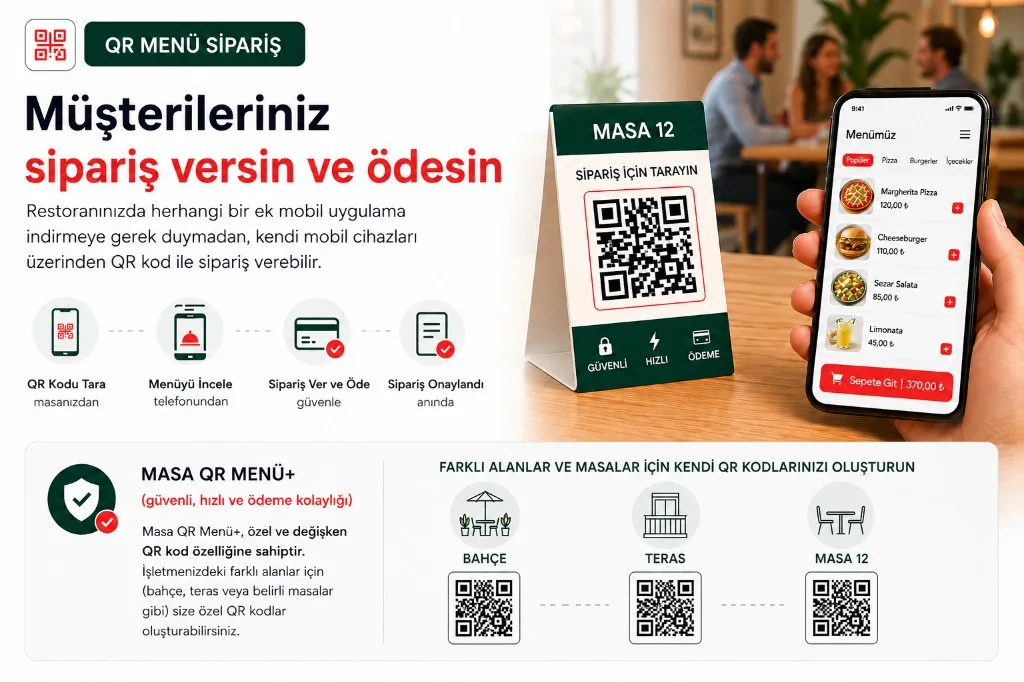
- Scan QR
- Open menu
- Place order
- Pay
- Kitchen
- Menu via QR
- Table mapping
- Online order and payment
- No app download
- Handoff to kitchen
- Add to an open ticket
Included
QR Order & Pay, table mapping, order management, payment flow, mobile UI, panel, and support.
Payment provider and third-party integration fees may apply.
04 · Counter
Speed up counter orders
Build the order at the counter, take payment, send it to the kitchen. See POS integrations.
- Fast counter screen
- Touch-first
- Products and options
- Cash and card
- Ticket management
- Kitchen handoff
- Status tracking
- End-of-day reports
- Branch and shift control
Included
Counter ordering, tickets, order management, kitchen handoff, basic sales reports, and support.
POS, fiscal till, and other integrations are billed separately.
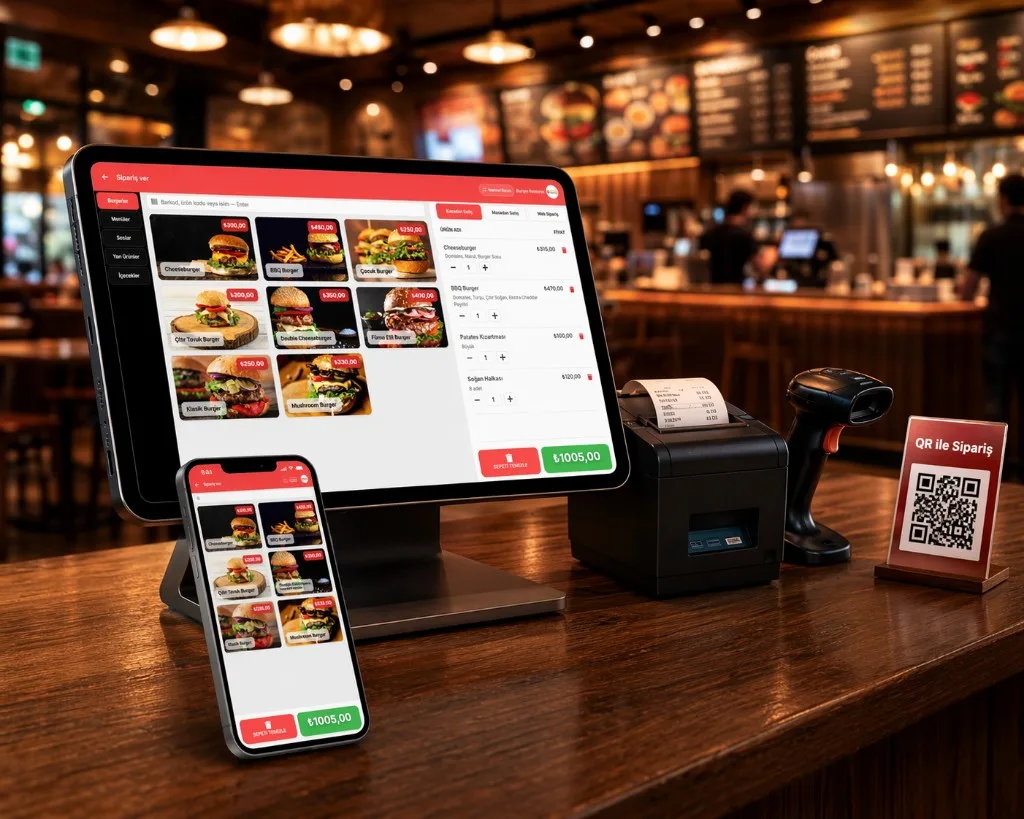
Pick item → Build order → Pay → Kitchen
05 · Table
Take orders from the table
Guests order on their phones; tickets land on the right table. See shared table ordering.
- Table-based orders
- QR table mapping
- Order from own phone
- Shared table orders
- Add to open ticket
- Live kitchen handoff
- Waiter-approved or direct flow
Included
Table ordering, table / QR management, tickets, kitchen handoff, panel, and support.
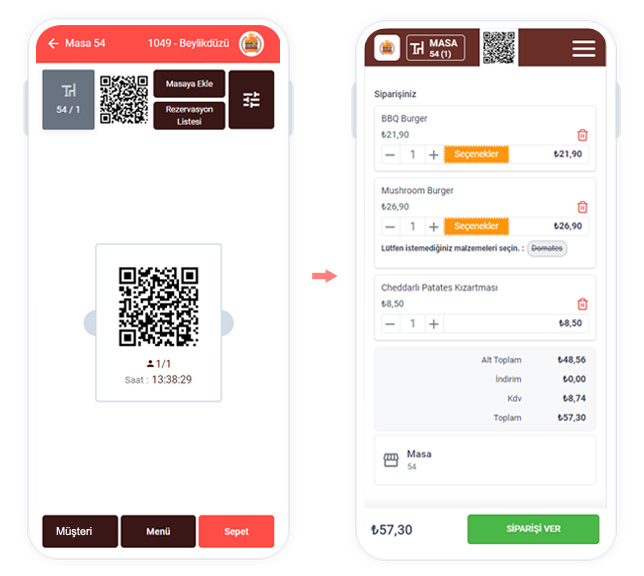
Table QR → Phones → Order → Ticket → Kitchen
Choose the ordering channel you need
Five services, side by side.
| Feature | Online ordering | QR Menu | QR Order & Pay | Counter | Table |
|---|---|---|---|---|---|
| Menu viewing | ✓ | ✓ | ✓ | ✓ | ✓ |
| Take orders | ✓ | — | ✓ | ✓ | ✓ |
| QR access | — | ✓ | ✓ | — | ✓ |
| Online payment | ✓ | — | ✓ | — | ✓* |
| Table mapping | — | — | ✓ | ✓ | ✓ |
| Kitchen handoff | ✓ | — | ✓ | ✓ | ✓ |
| Ticket link | ✓ | — | ✓ | ✓ | ✓ |
| Campaigns | ✓ | — | ✓ | ✓ | ✓ |
| Mobile use | ✓ | ✓ | ✓ | — | ✓ |
* Depends on the payment stack in use.
Extend the system as you grow
Add modules and integrations that match operations. Pricing is quoted.
Pay only for the channels you use
Online, counter, table, and QR Order & Pay are independent. QR Menu is free.
Online ordering
20$ / mo
Take branded online orders.
Online ordering, admin panel, menu and campaigns, delivery / pickup, order management, mobile page, and support.
POS, marketplace, payments, franchise, and custom integrations are quoted separately.
DetailsCounter ordering
20$ / mo
Fast orders at the counter.
Counter ordering, tickets, order management, kitchen handoff, basic sales reports, and support.
POS, fiscal till, and other integrations are billed separately.
DetailsTable ordering
20$ / mo
Let guests order from the table.
Table ordering, table / QR management, tickets, kitchen handoff, panel, and support.
DetailsQR Order & Pay
20$ / mo
Scan, order, and pay online.
QR Order & Pay, table mapping, order management, payment flow, mobile UI, panel, and support.
Payment provider and third-party integration fees may apply.
DetailsChoose the channel you need
Start with a free QR Menu, or combine online, table, counter, and QR Order & Pay.