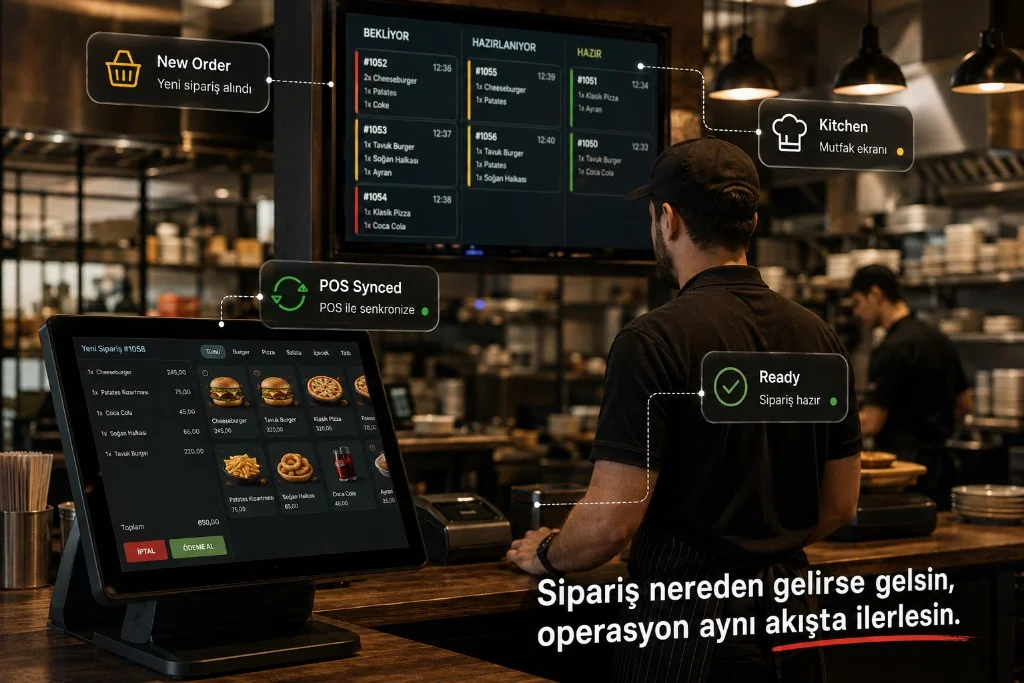
POS · Ticket · Kitchen
One Flow from Order to Ticket, Counter to Kitchen
Connect web, QR and marketplace orders to POS and ticket flow. Route orders correctly to kitchen and counter so you manage restaurant operations in a single flow.
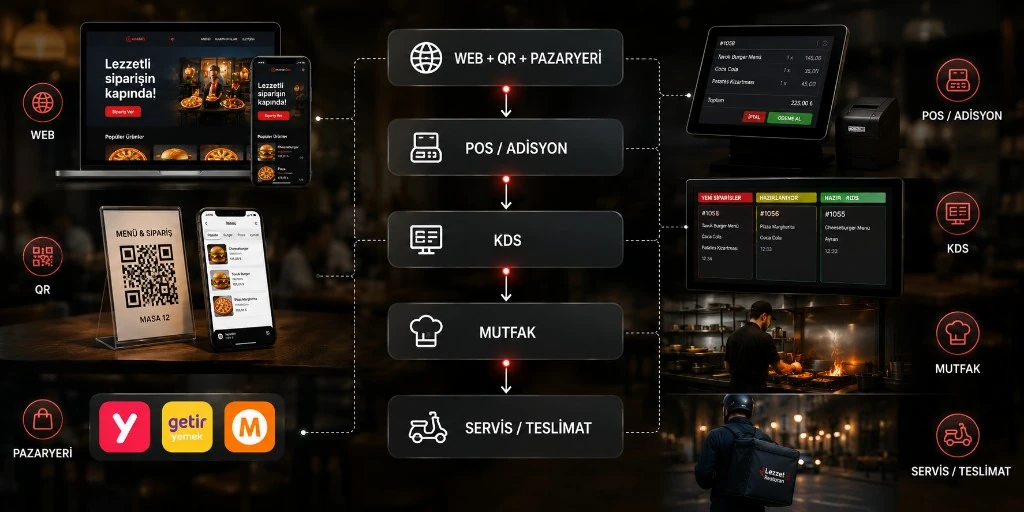
Different Channels, One Operation
When online, QR and marketplace channels are managed separately, re-entering orders, wrong transfers and kitchen delays can make operations harder.
Traditional
- Web Manual entry
- QR Manual entry
- Marketplace Manual entry
Integrated
- POS
- KDS
- Kitchen
How it works
Order to POS, POS to Kitchen
-
1
Order channel
-
2
POS transfer
The order is transferred into the POS/ticket flow through the configured integration.
-
3
Order check
Product, option and payment details are processed in the operations flow.
-
4
Kitchen
Approved orders land on the relevant prep station on the KDS.
-
5
Service / delivery
When prep is done, the order moves into service, takeaway or delivery.
- 2 × Pizza
- 1 × Cola
- Order received
- Sent to POS
- KDS
- Preparing
- Ready
Menu mapping
Right Product, Right Order
For a healthy POS integration, online menu items need to be mapped to POS products.
Map online menu items to their POS counterparts.
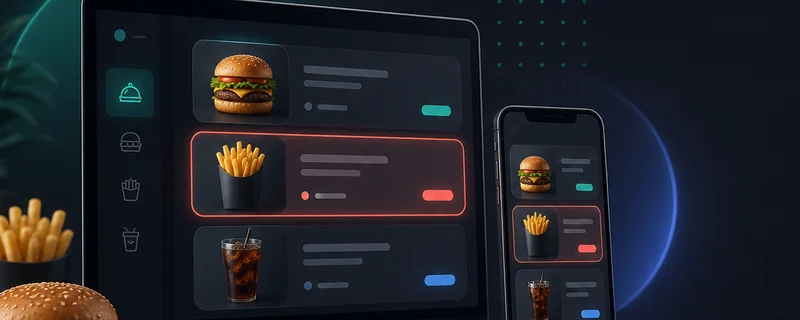
Online Menu
- Cheeseburger
- Fries
- Cola
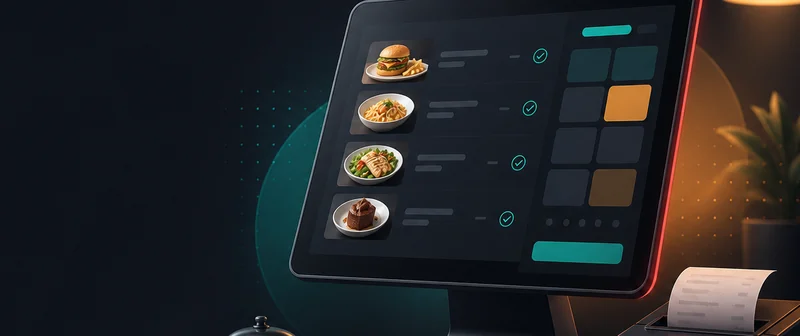
POS
- Cheeseburger ✓
- Fries ✓
- Cola ✓
Result
- Online Menu
- POS Product
- Ticket
- Kitchen
Kitchen sync
Seamless Flow from POS to Kitchen
Orders transferred to POS connect to the prep process on the kitchen display.
-
 Pizza
Hot Kitchen
Pizza
Hot Kitchen
-
 Salad
Cold Kitchen
Salad
Cold Kitchen
-
 Cola
Bar
Cola
Bar
-
 Pack
Packing
Pack
Packing
On the kitchen side
- New Order
- Preparing
- Ready
- Handoff / Service
Station-based structure lets hot kitchen, cold kitchen, bar or packing areas be managed separately.
Operational impact
Less Manual Work, Cleaner Operations
Less re-entry
Instead of typing channel orders into the counter again, transfer them through the integration.
Lower risk of lost orders
Movement along the channel → POS → kitchen line becomes more controlled.
Clearer kitchen work
Orders are tracked by prep status on the KDS.
One operations model
Online, QR and marketplace orders are managed in the same ops flow even when sources differ.
Reporting
Integration Does Not End at the Order
Order data from channels is collected on the same backbone and flows into sales analytics.
What does it work with?
Infrastructure That Grows with Your Needs
- POS
- Counter
- KDS
- Online Ordering
- QR
- Marketplace
- Reporting
FAQ
Frequently Asked Questions
Which POS is live-integrated?
Can web orders go to POS?
Do QR orders also reach POS?
Can marketplace orders be managed in the same system?
Is POS integration an accounting program?
Does kitchen display work with POS?
Unite Your Order Channels in One Operation
Connect web, QR and marketplace orders to your POS, ticket and kitchen flow.
Explore more: Adisyo POS · kitchen display · counter ordering · setup