Fish & seafood
Fish Restaurant Ordering System
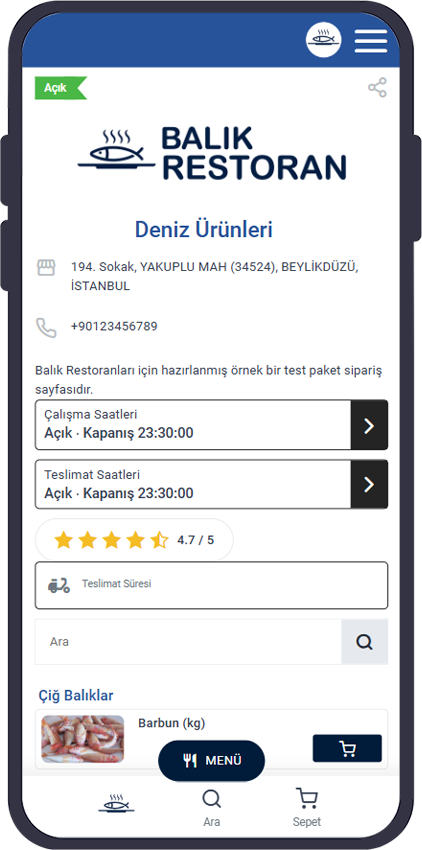
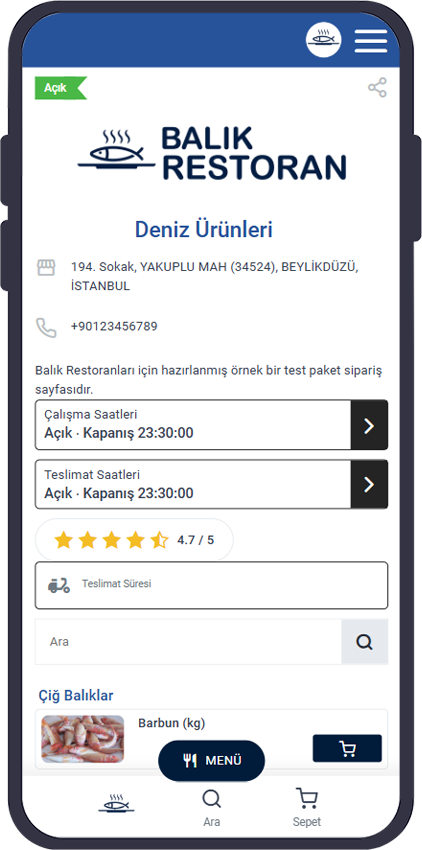
Build an online ordering system for your fish restaurant under your own brand. Manage fish, seafood, sides and menu options easily so guests order directly from you.
- Sea bass500–600 g · Grilled
- Shrimp casserolePortion · Sauce
- Fish sandwichMeze + extras
Experience
How Online Ordering Should Work for a Fish Restaurant
Fish restaurant products are rarely one-size-fits-all. Catch of the day, seasonal items, weight-based pricing and cooking choices shape the ordering experience.
A strong fish restaurant ordering system does more than list products—it lets guests pick the right item with the right options and up-to-date availability.
Menu options built for fish restaurants
- Catch of the day
- Weight and portion options
- Cooking preferences
- Mezes and sides
- Sauces and extras
- Seasonal products
Live menu
Update Catch of the Day and Availability
A fish restaurant menu may change daily. Some items sell out; others appear only in season.
Open or close products from the admin panel so guests always see an up-to-date menu.
Example product status
- Sea bassOn sale
- Gilt-head breamOn sale
- BluefishSold out
- ShrimpOn sale
| Product | Status | Sale |
|---|---|---|
| Sea bass | On sale | |
| Gilt-head bream | On sale | |
| Bluefish | Sold out | |
| Shrimp | On sale |
Options
Order Options for Fish and Seafood
Guests can order fish and seafood with their preferences attached.
- Fish type
- Weight
- Portion
- Cooking method
- Side
- Sauce
- Extra
- Guest note
Preferences like “grilled”, “this weight” or “add this meze” are captured cleanly during checkout.
- Sea bass
- Bream
- Shrimp
Product selection
- 500–600 g
- Grilled
- Haydari
Options
- 1 × Sea bass
- + Grilled
- + Haydari
Cart
Fulfillment
Take Delivery and Pickup Orders
Guests can place orders online and choose delivery or pickup.
Order options
- Delivery
- Pickup
- Delivery zone
- Minimum order
- Delivery fee
- Online payment
- Pay on delivery
Delivery zone and fee appear during checkout.
ContinueYour channel
Your Fish Restaurant’s Own Ordering Channel
Instead of sending guests only to marketplaces, take orders on a page built with your brand.
- Your domain
- Your logo
- Your colors
- Your menu
- Direct guest relationship
- Sales without per-order commission
Marketplace
Marketplace brand → Guest
Your ordering page
Your brand → Your guest
Multilingual
Multilingual Menu for Local and International Guests
Coastal fish restaurants often serve guests from many countries.
Offer your menu in multiple languages so products and options are easier to understand.
Türkçe | English | Deutsch
Fish Restaurant Ordering System FAQ
What is an online ordering system for a fish restaurant?
It is the online infrastructure that lets fish restaurants take orders directly from guests on the web.
Can I sell products by weight?
Yes—weight, portion and other product options can be defined.
Can I remove catch of the day from the menu?
You can update unavailable products from the admin panel.
Can I add cooking options for fish?
Different cooking and preference options can be set per product.
Can my fish restaurant take delivery orders?
Delivery and pickup options are available.
Can I create an English menu for international guests?
Multilingual support lets you present your menu in different languages.
Do guests order through my brand?
You can run the ordering page with your brand and domain.
Is the fish restaurant ordering system paid?
You can review current pricing and package options.
Build Online Ordering for Your Fish Restaurant
Offer fish, seafood and menu options online under your brand so guests order directly from you.
- Your brand
- Online ordering
- Commission-free